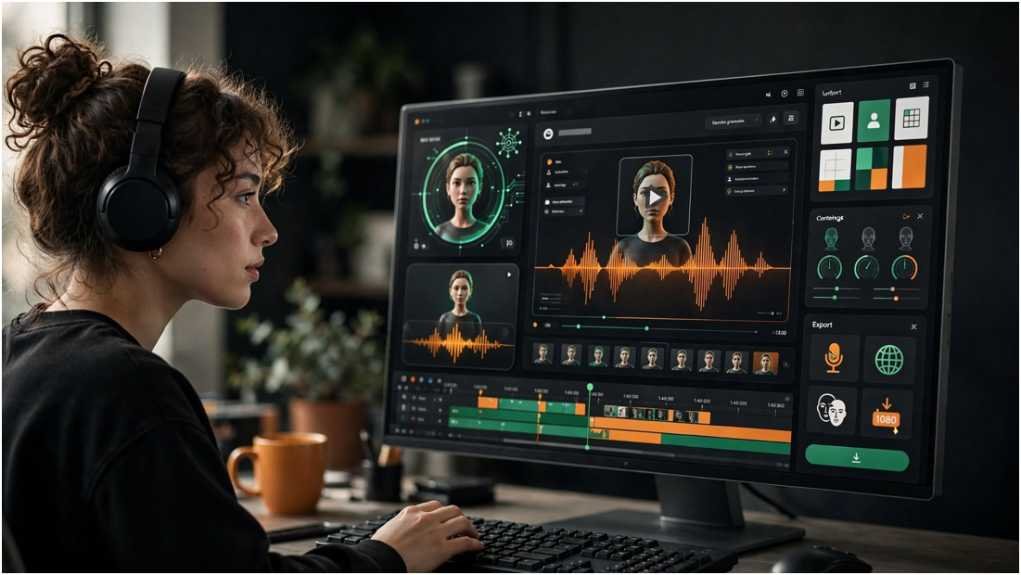
A stiff digital face can lose viewers before the second sentence ends. Mango AI makes avatar production accessible, but clicking “generate” does not guarantee a convincing video.
I approach these projects as a three-part job: prepare clean inputs, generate a controlled first draft, and inspect the export. This method saves more time than repeatedly changing random settings.
Table of Contents
ToggleWhat Can You Create With Mango AI?
Mango AI supports talking photos, avatar presentations, text-to-video clips, image animation, video translation, face swaps, advertisements, and several entertainment effects. Its usefulness depends on matching the tool to a clear communication goal.
A talking photograph suits a direct message. A template-led avatar can work for training or product explainers. Image-to-video generation is better for short visual movement than a detailed five-minute presentation.
| Goal | Best starting tool | Recommended input |
|---|---|---|
| Welcome message | Talking Photo | Clear portrait and short script |
| Product explanation | AI Avatar | Structured script and brand assets |
| Social advertisement | AI Ad Generator | Product details and one offer |
| Visual teaser | Image to Video | High-resolution source image |
| Localized clip | Video Translator | Clean original audio |
Do not choose a feature because its demonstration looks impressive. Choose it because its output matches where and how you will publish.
How Do You Create a Mango AI Video?
Step 1: Define one outcome
Start with one measurable purpose. A video might explain a feature, introduce a lesson, answer a customer question, or encourage a click. Combining all four goals usually produces a weak script.
Write the desired action in one sentence. For example: “After watching, the viewer should understand how to activate the free trial.” That statement keeps every scene focused.
Step 2: Prepare a clean portrait
Use a well-lit, front-facing photograph. Keep the eyes and mouth visible. Avoid hands, hair, masks, or shadows covering the lower face.
A medium close-up often works better than an extreme crop. Leave some space around the head because animations and platform-specific resizing may trim the frame.
Step 3: Write for speech
A spoken script should sound natural when read aloud. Use short sentences, contractions, and clear pauses. Remove complicated clauses that force the synthetic voice to rush.
For a 45-second video, begin with roughly 90 to 110 words. Speaking speed varies, so preview the narration before generating the final version.
Step 4: Select the voice carefully
Choose a voice that fits the audience and message. A cheerful retail promotion needs different pacing from workplace training.
Test difficult terms in isolation. Product names, acronyms, surnames, dollar amounts, and web addresses deserve special attention. Changing punctuation can sometimes improve rhythm and pronunciation.
Step 5: Generate a low-risk draft
Use Mango AI to create the first version with non-sensitive material. Do not begin with a confidential product launch or an executive’s unapproved likeness.
Review the draft before adding more scenes. Correcting a flawed portrait or voice early avoids wasting credits on later versions.
Step 6: Inspect the full export
Watch the downloaded file on a phone and desktop. Check lip movement, blinking, facial edges, timing, audio clarity, text placement, and background consistency.
I also watch once without sound. If the visual message becomes confusing, captions or stronger scene cues may be necessary.
How Can You Improve AI Avatar Quality?
Use the three-pass method
My three-pass workflow separates problems instead of changing everything at once.
| Pass | Main focus | Questions to ask |
|---|---|---|
| Script pass | Meaning and pacing | Is every sentence necessary? |
| Avatar pass | Face, voice and lip-sync | Does the presenter feel credible? |
| Delivery pass | Captions and format | Is the export ready for its channel? |
During the script pass, remove filler and keep one idea per sentence. During the avatar pass, focus only on pronunciation, expressions, and mouth movement. During the delivery pass, check subtitles, aspect ratio, disclosure, and calls to action.
This system creates a repeatable quality record. It also shows whether poor results come from the source image, script, model, or final formatting.
Build a pronunciation sheet
Keep a short reference document containing approved spellings and phonetic versions of difficult words. Reusing it makes a video series more consistent.
Those exploring revenue workflows may also examine AI Arbitrage, while remembering that automation does not remove the need for human approval.
Which Mango AI Plan Should You Choose?
The current official plan comparison uses credits and separates several capabilities by tier. Differences can include resolution, voices, avatars, templates, face swaps, custom photos, watermarks, and licensing.
A free account suits evaluation. Starter may fit personal experimentation. Pro is more relevant when commercial licensing and stronger features are needed. Enterprise targets higher-volume production.
| User type | Sensible starting point | Upgrade signal |
|---|---|---|
| First-time user | Free | The output passes quality testing |
| Hobby creator | Starter | Credits or features become restrictive |
| Business creator | Pro | Monthly production becomes predictable |
| Production team | Enterprise | Volume supports the added expense |
Do not upgrade because one demonstration looked good. Record how many credits each attempt consumes and how many exports are usable.
What Are Mango AI’s Biggest Strengths and Limits?
Mango AI combines many creative tools in one browser-based platform. It reduces recording work, makes script changes easier, and helps users test presenter concepts without a full studio.
Its biggest limitations are variable realism, retry costs, limited high-end editing, and plan-dependent rights. Generated faces can develop unnatural mouth shapes or expressions. Synthetic voices may also flatten emotional delivery.
| Strength | Practical benefit | Limitation |
|---|---|---|
| Talking-photo generation | No live filming required | Realism varies |
| Templates | Faster project setup | Results can feel generic |
| Synthetic voices | Easy script updates | Pronunciation needs review |
| Credit plans | Flexible entry options | Retries increase real cost |
| Web access | No complex installation | Internet workflow required |
A separate editor may still be needed for captions, audio balancing, transitions, or channel-specific exports. Creators studying other education-focused systems can compare this structured process with Alayaa AI.
How Should You Publish AI Videos Responsibly?
Only animate a real person after receiving clear permission. Avoid deceptive endorsements, impersonations, or statements the person never approved.
The U.S. Copyright Office’s AI initiative examines digital replicas and the copyrightability of AI-generated material. Its work shows why creators must consider human contribution, permission, ownership, and likeness rights.
Publishing platforms may impose separate rules. YouTube requires disclosure when realistic content meaningfully alters a real person, event, place, or scene. Repeated failure to disclose can lead to labels or platform penalties.
A practical approval record should contain the source image, consent, script version, generation date, selected plan, human edits, and final export. Businesses should keep this record with the campaign assets.
Frequently Asked Questions
1. How do I make a talking photo with Mango AI?
Upload a clear portrait, enter text or audio, select a voice, generate the animation, and inspect the exported video.
2. Does Mango AI add a watermark?
Free or lower-tier access may include watermark restrictions; confirm the current plan comparison before generating production content.
3. Is Mango AI suitable for YouTube videos?
Yes, but creators should check output quality, commercial rights, copyright, likeness permission, and YouTube’s synthetic-content disclosure rules.
4. Why does an AI avatar look unnatural?
Poor lighting, an angled face, obstructed lips, rushed speech, or difficult pronunciation can reduce the realism of generated animation.
Your Avatar Is Ready—Don’t Let It Get Weird
Mango AI can shorten the distance between a written idea and a publishable presenter video. The best results still come from disciplined inputs and careful human review.
Begin with a short, low-risk project. Use one portrait, a 100-word script, and the three-pass method. Track every retry before deciding whether the platform deserves a place in your regular workflow.
Tip: If you cannot explain why a generated clip is better than a simple voice-over, revise the concept before spending more credits.