When ai hotpot ai first lands on your radar, it’s easy to assume you’re looking at another website where you type “cute astronaut drinking coffee” and receive four suspiciously glossy images.
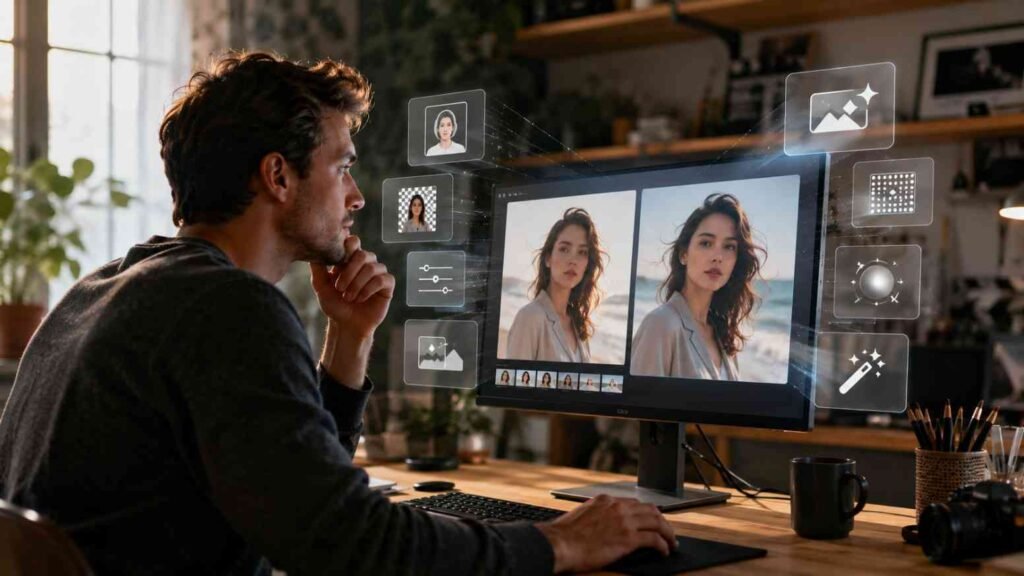
Hotpot is broader than that. Its current platform combines generative images with headshots, upscaling, photo restoration, background removal, face enhancement, design templates, app graphics, logos, and marketing-oriented visuals.
That makes the more interesting question not “Can Hotpot create AI images?” Of course it can. The useful question is whether putting several creative tasks in one place genuinely improves your workflow.
Table of Contents
ToggleWho Should Consider Using ai hotpot ai?
I can see the strongest appeal for bloggers, marketers, small-business owners, creators, app developers, and people who routinely need visuals without having a full creative department permanently waiting in Slack.
A blogger might generate a feature image, enhance an existing photo, remove its background, and prepare social graphics. A small business might test marketing concepts before paying a designer to polish the strongest option.
It can also be useful for casual personal projects. Restoring family pictures and experimenting with profile images requires a very different skill set from designing YouTube thumbnails, yet both workflows live within the same broader platform.
Which ai hotpot ai Tools Are Actually the Most Practical?
Image generation attracts the spotlight, but I think editing tools often provide the quickest real-world value. Removing a background or improving a low-resolution image solves a specific problem immediately.
Photo restoration is another strong use case. Instead of recreating an image from scratch, AI can help clean up damage, enhance faces, colorize older photographs, or improve resolution.
Hotpot currently says its upscaling tools can enlarge images substantially, while its broader AI photo-editing collection includes background removal, object editing, restoration, colorization, and face enhancement.
How Does ai hotpot ai Fit Into a Content-Creation Workflow?
I wouldn’t build an entire marketing strategy around AI images. I would use AI to accelerate stages where creative teams normally lose time.
If you’re still exploring different AI tools before settling on a workflow, the Stanford AI Playground can also be useful for experimenting with AI capabilities and understanding how these tools can support creative and productivity tasks.
Start with ideation. Generate rough visual directions for a campaign, blog feature image, social post, landing page, or product concept. Once you identify the strongest direction, refine the prompt and generate targeted variations.
Then edit rather than endlessly regenerate. Cropping, background removal, upscaling, typography, brand colors, and human finishing touches can turn an AI draft into something that feels intentionally designed.
Can ai hotpot ai Replace Photoshop or a Professional Designer?
Not completely, and I don’t think that should be the goal.
AI tools are fantastic when the task is “make something usable quickly.” Professional design software becomes more valuable when you need precise layers, complex typography, detailed retouching, production consistency, controlled color workflows, or pixel-level editing.
Professional designers add something even more important: judgment. A model can generate twelve logo concepts before lunch, but deciding whether one communicates trust, feels distinctive, and works on a tiny mobile screen is a strategic design problem.
Adobe’s own responsible approach to generative AI illustrates why professional creative workflows increasingly combine human direction with AI assistance rather than treating generation as the entire creative process.
How Can ai hotpot ai Improve Social-Media Production?
Consistency is usually harder than creativity. Creating one nice Instagram graphic isn’t difficult; creating fifty on-brand assets across several campaigns without slowly losing your enthusiasm for fonts is another matter.
For marketers looking beyond individual tools, Infographics: Top 10 Generative AI Trends offers broader context on how generative AI is influencing visual content and creative workflows.
Hotpot includes templates and tools covering Facebook posts, Instagram posts, YouTube banners and thumbnails, LinkedIn graphics, app mockups, and other marketing assets.
I would use those tools for variation and speed, then apply a consistent brand layer manually. Keep your typography, colors, spacing, logo usage, and photographic mood recognizable even when AI generates the underlying visuals.
Is ai hotpot ai Good for Professional Headshots?
AI headshots can be useful when you need profile options quickly, particularly for professional networks, team pages, speaker profiles, or mockups.
However, a headshot represents a real person. That means accuracy matters more than it does when generating an imaginary mountain cabin. Look carefully at facial structure, hair, teeth, earrings, clothing, and any details that could subtly turn you into your own suspiciously attractive cousin.
For formal identification, legal documentation, or situations requiring a faithful photograph, use a genuine photograph rather than an AI recreation.
What Should You Know About ai hotpot ai Pricing?
Hotpot’s pricing isn’t one simple subscription number applied identically to every tool. The company says pricing varies by product and settings.
Most products offer some level of free exploration, while commercial usage and advanced settings require credits. Hotpot also offers team, high-volume, and self-hosted options for larger customers.
That structure can work nicely for occasional users because you may not need another monthly subscription quietly feeding on your credit card. Heavy users should compare actual credit consumption against subscription alternatives before committing.
How Do Copyright and Commercial Rights Affect ai hotpot ai?
This is the section creators should not skip just because the generated image looks fabulous.
Hotpot says content produced with purchased credits includes a license for commercial use, but it also explicitly notes that this does not create a guarantee of copyright protection, uniqueness, or compliance with every intellectual-property rule.
The U.S. Copyright Office’s AI guidance explains that human authorship remains important when determining copyright protection for generative-AI outputs, with human creative selection, arrangement, or modification potentially relevant.
How Can You Use ai hotpot ai Step by Step?
Step 1 is starting from the final destination. Decide whether your image is for a blog, advertisement, profile, presentation, app listing, social post, or personal project because the intended format should shape your prompt.
Step 2 is choosing the right tool rather than automatically opening the generator. If you already have a strong photo, enhancement or background removal may solve your problem faster.
Step 3 is describing what you want visually. Include subject, environment, mood, lighting, perspective, composition, and style. Add exclusions when certain elements must not appear.
Step 4 is comparing multiple results. Look for distorted details, accidental text, inconsistent anatomy, strange backgrounds, unrealistic reflections, or anything that makes the image feel obviously synthetic.
Step 5 is applying human editing. Crop, retouch, resize, add typography separately when practical, and make the asset fit your established brand.
Step 6 is checking commercial rights and privacy before publishing. That part isn’t glamorous, but neither is receiving a copyright complaint on a Friday afternoon.
How Should You Think About Privacy With ai hotpot ai?
AI headshots and photo editing often require uploading personal images, which makes privacy more relevant than it is with text-only prompting.
Hotpot’s current privacy policy describes the collection of information such as account details, device and usage information, transaction data, and information supplied through the service. It also explains options for requesting deletion of personal data.
For a wider perspective, the NIST Generative AI Risk Management Profile identifies privacy among the risks organizations should consider when deploying generative AI. That is particularly relevant when client files or identifiable people enter your workflow.
What Are the Key Takeaways About ai hotpot ai?
The most attractive part of ai hotpot ai is convenience. Generating visuals, restoring photographs, creating headshots, removing backgrounds, and building simple graphics inside one ecosystem can reduce creative friction.
The strongest use case isn’t replacing experienced designers. It’s giving everyday creators and small teams faster ways to prototype, edit, experiment, and automate repetitive visual tasks.
I would test a few real projects before purchasing a large credit package. Measure whether the platform saves time on work you already do rather than inventing new jobs merely because another AI button exists.
Frequently Asked Questions
1. Is Hotpot AI suitable for beginners?
Yes. Many Hotpot tools are designed around straightforward upload-and-generate or prompt-and-generate workflows, making them approachable without advanced design skills.
2. Does Hotpot AI offer free tools?
Hotpot says most products can be explored for free, although usage restrictions differ.
3. Can businesses use Hotpot AI?
Yes, Hotpot offers commercial licenses through paid credits and licensing options.
4. Are Hotpot AI images always accurate?
No. Like other generative tools, outputs can contain visual inaccuracies, unrealistic details, or unwanted similarities.
Is ai hotpot ai Creative Magic or Just Another Shiny AI Button?
I wouldn’t call it magic, which is probably good news. Magic is notoriously difficult to put into a repeatable marketing workflow.
What makes Hotpot interesting is its combination of generation and practical editing. The less glamorous tools—upscaling, restoration, background removal, and enhancement—may ultimately save you more time than the features producing dramatic fantasy art.
My rule is simple: judge AI by how much annoying work it removes, not how impressive the demo looks. If ai hotpot ai gives you more time to focus on the creative decisions that actually matter, that’s where its value starts showing.