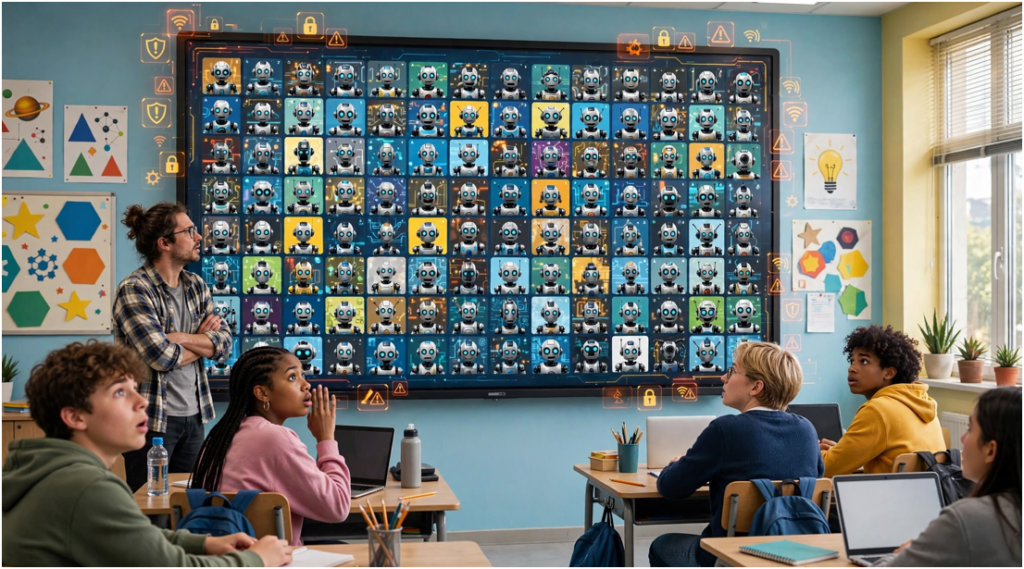
The most dangerous bot may not be the one entering a game. It may be the fake tool asking a student to install software, paste browser data, or surrender a password. That is why I evaluate every Blooket Bot claim through safety, fairness, and credibility.
Most users need a clear answer: these tools are unofficial, unreliable, and capable of disrupting real classes. Some may also act as bait for phishing or malicious downloads.
Table of Contents
ToggleWhat Does Blooket Bot Mean?
A Blooket Bot is a third-party script or program that performs game actions automatically. Depending on its design, it may add fake players, submit answers, cycle through usernames, or promise unearned rewards.
A real player makes decisions and answers questions manually. A bot follows programmed instructions. This difference matters because Blooket’s value comes from participation, recall, and feedback—not artificial leaderboard positions.
| Feature | Real player | Automated bot |
|---|---|---|
| Joins the session | Manually | Through scripted actions |
| Answers questions | Based on knowledge | Through automation or stored data |
| Learning value | Can reinforce knowledge | Usually little or none |
| Effect on reports | Reflects real participation | Can distort results |
| Platform status | Intended use | Unofficial activity |
A session code is simply an entry method. Readers searching for working Blooket Codes should use codes supplied by an authorized host, not codes exposed on public bot pages.
Do Blooket Bots Really Work?
Some automation may work temporarily. That does not make it safe, permanent, or permitted. Websites change their interfaces and security controls, so old scripts frequently break.
A failed tool may continue attracting traffic long after its code stops working. Its operator could still profit through advertisements, forced redirects, surveys, or downloads. Therefore, “it works” is not the only question worth asking.
I use three questions when assessing a claim:
| Question | Credible answer | Warning sign |
|---|---|---|
| Who created the tool? | Identifiable developer with transparent code | Anonymous download page |
| What access does it request? | Minimal access for a clear function | Passwords, cookies, or broad permissions |
| What does it promise? | Limited and testable behavior | Unlimited tokens or zero detection |
A Blooket Bot that asks for more access than its claimed function requires fails this basic credibility check.
Which Blooket Bot Claims Should You Question?
“Unlimited tokens,” “instant rare Blooks,” and “unbannable” access are marketing claims, not guarantees. Students should question any site that creates urgency or claims a secret bypass that will never stop working.
Claims about effortless correct answers deserve similar skepticism. Even a functioning answer script removes the recall practice that made the classroom activity useful. A high score produced by automation measures the script, not the student.
Free browser entertainment is not automatically suspicious. For example, the Google Baseball Doodle runs as a legitimate game experience. The difference is that it does not require users to manipulate another person’s classroom activity.
Is a Free Blooket Bot Safe?
“Free” describes the price, not the security. The real cost may be personal data, browser access, advertising exposure, or control of a school-managed device.
Unknown files can contain spyware or other unwanted programs. Microsoft’s official advice for protecting Windows devices from malware includes using current security protections and avoiding suspicious files.
The permission-cost test
Before using any online tool, compare what it promises with what it requests. A page claiming to add fake game players should not need an email password, payment details, browser cookies, or administrative device access.
This comparison is my original permission-cost test:
Risk level = requested access × lack of transparency × strength of promise
It is not a technical malware score. It is a decision tool. If all three factors are high, the user should leave the page and notify an adult or school administrator.
| Tool request | Risk assessment | Recommended action |
|---|---|---|
| Public information only | Lower, but still verify the site | Check the official source |
| Browser extension access | Medium to high | Review permissions with an adult |
| Account password | Critical | Leave immediately |
| Session cookie or token | Critical | Never provide it |
| Download with antivirus disabled | Critical | Stop and report it |
Signs of a fake login page
An imitation page may copy Blooket’s colors, logo, or layout. Check the full domain instead of relying on its appearance. Misspellings, extra subdomains, urgent countdowns, and unusual verification steps are warning signs.
Google’s phishing protection guidance recommends checking suspicious links and protecting account credentials. Users should reach services through known official addresses instead of links supplied by strangers.
Are Blooket Bots Against the Rules?
Unauthorized automation can conflict with platform rules and school acceptable-use policies. Students may also violate academic-integrity requirements when automated answers affect graded work.
The legal question requires nuance. Running a script is not automatically a criminal act. However, conduct involving unauthorized access, stolen credentials, malware, or intentional service disruption can create more serious consequences.
Parents and teachers should avoid promising one universal outcome. The appropriate response depends on the student’s conduct, the school policy, the affected device, and whether any account or system was compromised.
Blooket publishes its own terms of service, which should be checked directly when determining permitted platform use. Official language is more reliable than a bot website’s interpretation.
What Should Students Do Instead?
Students who want higher scores should practice the question set, review missed answers, and learn each game mode’s legitimate strategy. Those methods improve both performance and recall.
Students interested in coding can build automation inside a controlled local project. A simple quiz simulator, test webpage, or teacher-approved coding sandbox teaches loops and input handling without targeting a live class.
| Goal | Unsafe shortcut | Better alternative |
|---|---|---|
| Improve quiz scores | Automatic answers | Review missed questions |
| Learn automation | Attack a live lobby | Build a local test program |
| Test a game | Add fake players to class | Run a private teacher-approved test |
| Earn rewards | Use a token generator | Use official game features |
| Enter a session | Find exposed codes | Request the code from the host |
This approach preserves the interesting part—learning how automation works—without harming other students.
How Can Parents and Schools Respond?
Parents should stay calm if a child searched for a Blooket Bot. Curiosity does not prove malicious intent. Ask what the tool promised, whether anything was downloaded, and what information the child entered.
If the student installed an extension or file, stop using sensitive accounts on that device. Notify school IT when the device belongs to the district. Remove suspicious software, run an approved security scan, and change exposed passwords from a trusted device.
The FTC’s malware advice recommends downloading software only from trusted websites, keeping systems updated, and scanning devices when an infection is suspected.
Schools can reduce future incidents through short digital-safety lessons. Students need to understand browser permissions, session cookies, fake verification pages, and the difference between ethical testing and disruption.
Frequently Asked Questions
1. Can a Blooket Bot give unlimited tokens?
Claims of unlimited tokens are unreliable and may be used to attract downloads, advertisements, or personal information.
2. Can a Blooket Bot steal my account?
A malicious tool may steal credentials or session data if you provide passwords, cookies, or excessive browser permissions.
3. Can teachers use bots to test games?
Teachers should use official preview features or controlled, authorized testing methods instead of third-party flood tools.
4. What should I do if I entered my password?
Change it immediately from a trusted device, enable available account protection, and notify a parent, teacher, or school IT team.
Skip the Shortcut and Keep the Win
A Blooket Bot may promise a quick victory, but a score created by automation proves nothing. Worse, an unknown tool can demand access that no classroom game is worth surrendering.
My final rule is blunt: if a “free” tool wants your password, cookies, downloads, or antivirus disabled, close it. Practice the questions, protect the device, and earn the leaderboard spot without letting a shady script play for you.